Home » Archives for hrsynergy » Page 4

Author: hrsynergy

The Massachusetts Pay Transparency Law

Massachusetts has joined other states in mandating pay transparency by requiring pay range information in all job postings and advertisements for employers with 25 or more employees.  This new law becomes effective October 29, 2025.

Who Is a Covered Employer?

The law applies to private and public employers with at least 25 employees whose primary place of work was in Massachusetts during the prior calendar year.

To determine coverage, employers must count all individuals who performed services for wages or other compensation, including full-time, part-time, and seasonal workers, whose primary place of work is in Massachusetts.

The Attorney General’s Office has adopted the definition of “primary place of work” from its Massachusetts Earned Sick Time Law guidance, which refers to the location where an employee performs the majority of their work.

Employers should also include in their count:

  • Employees who telecommute to a Massachusetts worksite, even if located in another state;
  • Employees who telecommute from Massachusetts to an out-of-state worksite; and
  • Employees who permanently relocate to Massachusetts, starting their first day of work in the state.

Disclosure includes:

  • Job Postings – All job postings and advertisements intended to recruit for a specific position must include the pay range.
  • Promotions/Transfers: The pay range must be disclosed when an employee is offered a promotion or transfer to a new position.
  • Upon Request: Existing employees and job applicants can request the pay range for a specific position and must receive it.

The disclosure requirement also applies to remote positions that are tied to a Massachusetts worksite and/or that can be performed by an employee located in Massachusetts.

This new law also has pay data reporting requirements for those employers that submit EEO reports to the EEOC.

Employers should begin preparing to ensure legal compliance.

Need help? Reach out to us at [email protected].
Why Onboarding Matters for Small Businesses and Nonprofits — And the Risks of Skipping Documentation

For small businesses and nonprofit organizations, every hire counts. With limited resources and lean teams, it’s tempting to let new employees jump into work quickly — sometimes even before completing all the necessary paperwork. But skipping proper onboarding steps can lead to costly compliance issues and operational headaches.

Why Onboarding Is More Than Just a First Day Welcome

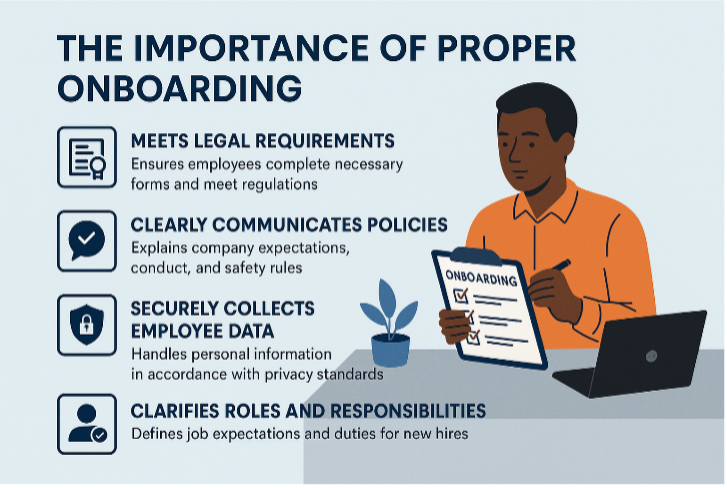
A structured onboarding process helps ensure:

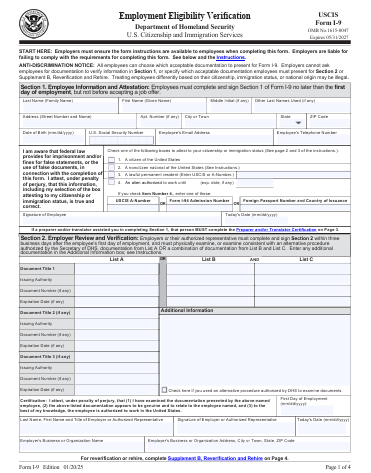
  • Legal compliance: Federal and state laws require specific documentation (like I-9s and W-4s) to be completed before or on the first day of work. Missing these can result in fines or audits.
  • Clear expectations: New hires need to understand your policies, mission, and culture from day one — especially in nonprofits where values and conduct are central.
  • Payroll accuracy: Without proper tax forms, payroll errors can occur, creating frustration for employees and administrative burdens for your team.
  • Risk management: Onboarding includes safety protocols, confidentiality agreements, and other protections that reduce liability.

The Risks of Starting Work Without Proper Documentation

Allowing someone to begin work before completing onboarding paperwork can expose your organization to:

  • Government penalties: Incomplete I-9 forms can lead to fines ranging from hundreds to thousands of dollars per violation.
  • Insurance issues: If an employee is injured before being officially documented, your workers’ comp coverage may be compromised.
  • Data security concerns: Collecting personal information informally or after the fact increases the risk of mishandling sensitive data.
  • Reputation damage: Nonprofits especially rely on trust and transparency. Compliance missteps can affect donor confidence and public perception.

Practical Tips for Small Teams

Even without a large HR department, you can implement a strong onboarding process:

  • Use a checklist for every new hire to ensure all forms and policies are completed before work begins.
  • Leverage digital tools like onboarding platforms or secure e-signature services to streamline paperwork.
  • Train managers and supervisors to understand the importance of onboarding and avoid shortcuts.
  • Schedule onboarding time intentionally — don’t let it get buried under daily operations.

Onboarding isn’t just a formality — it’s a safeguard. For small businesses and nonprofits, where every person plays a vital role, starting off on the right foot protects your organization and empowers your team. Taking the time to do it right isn’t a luxury — it’s a necessity.

I-9 Basics

Q1 – Can I ask an employee to show a specific document when completing Form I-9?

No. The employee may choose which document(s) they present from the Lists of Acceptable Documents. You must accept any document (from List A) or combination of documents (one from List B and one from List C) listed on Form I-9 that reasonably appear to be genuine and to relate to the person presenting them. 

Q2 – Do I need to complete Form I-9 for independent contractors?

No, independent contractors do not need to complete Form I-9. Form I-9 is used to verify the identity and employment authorization of employees in the United States, and independent contractors are not considered employees for this purpose. Instead, independent contractors typically provide a Form W-9.

Q3 – What is the “I-9, 3-day rule”?

The “I-9, 3-day rule” refers to the requirement for employers to complete Section 2 of the Form I-9, Employment Eligibility Verification, within three business days of a new employee’s first day of work for pay. This rule ensures timely verification of an employee’s identity and work authorization

Employee’s Role: The employee must complete and sign Section 1 of the I-9 form no later than their first day of employment. 

Employer’s Role: The employer (or their authorized representative) must complete Section 2, examining the employee’s documentation and attesting to its validity, within three business days of the employee’s start date. 

  • For Example – If an employee starts work on Monday, the employer has until Thursday to complete Section 2. 
  • Even with remote hires, the three-day rule applies to when Section 2 is completed, not when the form comes into the employer’s possession.

Q4 – How long do I have to keep I-9 forms?

I-9 forms should be retained for all current employees. For former employees, federal regulations state they must be retained for one year from the date of termination or three years from the date of the original hire, whichever is later.

Need help navigating? Contact us at [email protected].

Understanding Workers’ Comp Codes for Remote Employees: What Small Businesses Need to Know


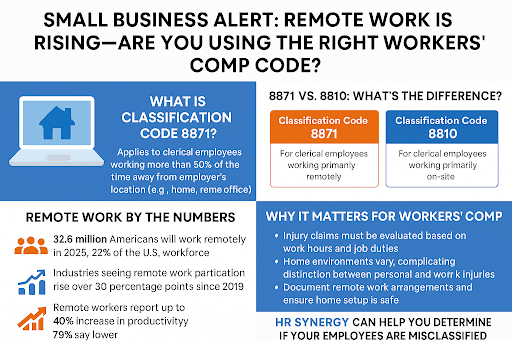
As remote work becomes a permanent fixture in the modern workplace, small businesses must stay ahead of regulatory changes, especially when it comes to workers’ compensation insurance. One critical update you need to know: the introduction of Classification Code 8871 for Clerical Telecommuter Employees, which differs from the traditional Code 8810 used for on-site clerical staff.

What Is Classification Code 8871?

Introduced to reflect the growing number of remote workers, Code 8871 applies to clerical employees who perform their duties more than 50% of the time away from the employer’s location, such as from home or a remote office.

8871 vs. 8810: What’s the Difference?

  • Code 8810: For clerical employees working primarily on-site.
  • Code 8871: For clerical employees working primarily remotely.

If an employee qualifies for 8871, their entire payroll must be assigned to that code. You cannot split payroll between 8810 and 8871 unless there’s a permanent job reassignment.

Remote Work by the Numbers

Remote work is no longer a trend, it’s a transformation:

  • In 2025, over 32.6 million Americans—about 22% of the U.S. workforce—work remotely. That’s a significant increase from just 6.5% in 2019.
  • Industries like finance, tech, and professional services have seen remote work participation rise by 30+ percentage points since 2019.
  • Remote workers report up to a 40% increase in productivity, and 79% say their stress levels are lower.

Why It Matters for Workers’ Comp

Remote work introduces new challenges for workers’ compensation:

  • Injury claims must be evaluated based on whether the incident occurred during work hours and while performing job duties.
  • Home environments vary widely, making it harder to distinguish between personal and work-related injuries.
  • Employers must document remote work arrangements and ensure employees have safe home setups.

What Small Businesses Should Do

  • Audit your workforce – Identify who qualifies as a remote clerical worker.
  • Update your workers’ comp classifications – Use Code 8871 where applicable.
  • Document remote work policies – Include schedules, job duties, and safety guidelines.
  • Consult your insurance provider or HR advisor – Ensure compliance and avoid costly audit surprises.

Need Help Navigating These Changes?

At HR Synergy, LLC, we specialize in helping small businesses stay compliant and avoid costly misclassification errors. Whether you’re unsure which code applies to your employees or need help documenting remote work arrangements, we’re here to support you.

Resolve Wage & Hour Issues Without the Headache: How Small Businesses Can Benefit from the PAID Program

Navigating wage and hour laws can be overwhelming for small businesses, especially when trying to stay compliant with the Fair Labor Standards Act (FLSA) and the Family and Medical Leave Act (FMLA). Fortunately, the U.S. Department of Labor’s Wage and Hour Division (WHD) has introduced a proactive solution: the Payroll Audit Independent Determination (PAID) program.

What Is PAID?

PAID is a voluntary program that allows employers to self-audit and resolve potential violations related to minimum wage, overtime, tip retention, and FMLA leave—without the stress of litigation. If an employer discovers a mistake, they can work directly with WHD to correct it and ensure affected employees receive 100% of the back wages or remedies they’re owed.

Why It Matters for Small Businesses

Small businesses often lack the internal HR resources to conduct thorough audits or interpret complex labor laws. That’s where HR Synergy comes in.

We help you:

  • Conduct confidential and comprehensive audits
  • Identify and report potential violations
  • Coordinate with WHD to resolve issues quickly and fairly
  • Establish systems for future compliance

Who Can Participate?

To qualify for PAID, your business must:

  • Be covered by the FLSA and/or FMLA
  • Be willing to proactively resolve potential wage and hour issues
  • Commit to future compliance

Let HR Synergy Help You Take the First Step

Participating in PAID shows your commitment to fair labor practices and builds trust with your employees. But you don’t have to do it alone. HR Synergy is here to guide you through the process, protect your business, and ensure your team is treated fairly.

Contact us today to learn how we can help you take advantage of the PAID program and strengthen your HR foundation.

Access the PAID program here.

Recent Employer Communications

Check out our recent blogs:

Breaking Down the Big Beautiful Bill: What Employers Must Know for 2026 and Beyond

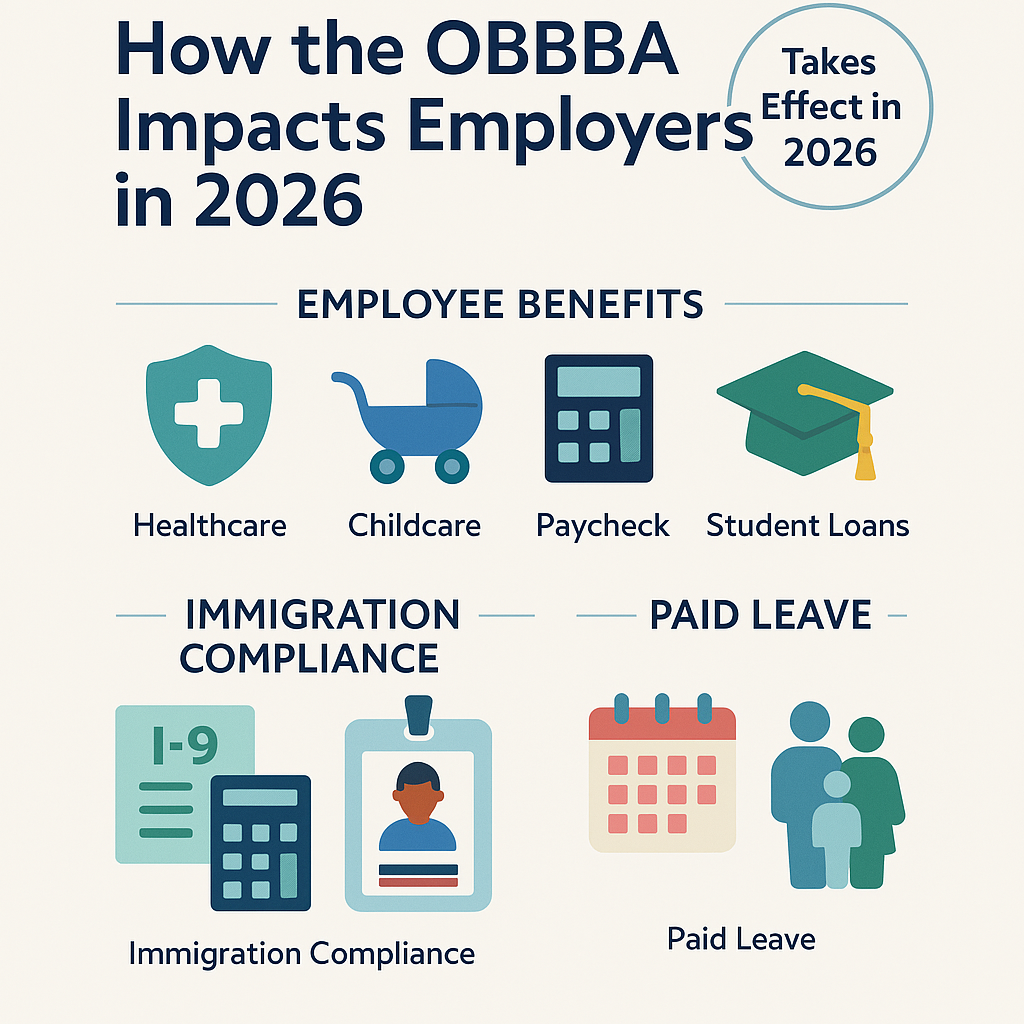
After months of debate and revisions, the One Big Beautiful Bill Act (OBBBA) was signed into law by President Donald Trump on July 4, 2025. While the bill introduces sweeping changes for individuals, it also brings significant implications for employers—especially in the areas of benefits, payroll, taxes, immigration compliance, and paid leave.

Are you wondering how these changes will affect your organization? Here’s what you need to know to start preparing for 2026.

Key Changes to Employee Benefits

Health Savings Accounts (HSAs)
Telehealth services can now be offered before the deductible is met for employees with high-deductible health plans—making a pandemic-era provision permanent.

Dependent Care FSAs
The annual pre-tax contribution limit increases from $5,000 to $7,500. The employer-provided childcare credit also rises significantly, with small businesses eligible for up to $600,000 in credits.

Fringe Benefits

  • Moving expense reimbursements are now taxable.
  • Student loan discharges due to death or disability remain tax-exempt.

Payroll and Tax Implications

Overtime Pay Deduction
Employers can deduct up to $12,500 in overtime pay, with a phase-out for high earners. This must be reported separately on Form W-2.

Service Tips
Employees may deduct up to $25,000 in qualifying tips, excluding mandatory service charges.

Independent Contractor Reporting
The Form 1099 threshold increases from $600 to $2,000, reducing administrative burden but requiring payroll system updates.

Other Notable Provisions

  • Student Loan Repayment: Employer contributions up to $5,250 remain tax-free.
  • Meal Deduction Eliminated, but bike commuting reimbursements stay deductible.
  • Adoption Credit: Now includes a refundable portion up to $5,000.

Immigration Compliance

The OBBBA allocates funding for 10,000 new ICE agents and expands the 287(g) program, increasing the likelihood of I-9 audits. Employers should ensure all documentation is accurate and compliant.

Paid Family and Medical Leave

The employer credit for paid leave continues, with greater flexibility in how it’s calculated—either based on wages paid or insurance premiums. Employees with six months of tenure may now qualify.

Stay Ahead of the Curve

The OBBBA introduces complex changes that will reshape how employers manage HR and compliance. Staying informed and proactive is key.

HR Synergy is here to help. Our team of consultants keeps you up to date with legislative changes and provides the tools you need to adapt with confidence.

Hiring Across State Lines? Here’s What You Need to Know

Remote work has unlocked new talent pools for employers, and it has also created new legal risks. Many employees fail to tell HR when they work from another state, which can lead to serious tax, wage, and compliance issues for employers. State laws apply where the employee works, not where the company is based.

You are responsible for compliance for every state in which you have employees:

  • Considering wage laws like reporting time pay and contractor pay liability.
  • New protections for pregnancy, menopause, and striking workers.
  • Hiring rules around pay transparency and background checks.

What you can do:

  • Confirm where remote employees are working (do not assume they will tell you).
  • Review and tailor policies by location.
  • Stay current on evolving state laws to avoid fines and legal exposure.

Remote work is not going anywhere, and neither are the local laws that govern it. Staying ahead means understanding not just how your people work, but where.

Need help navigating multi-state hiring? We’re here to guide you.

July 2025 Calendar

July Calendar

May is Picnic Month, National Recreation and Parks Month and National Grilling Month.

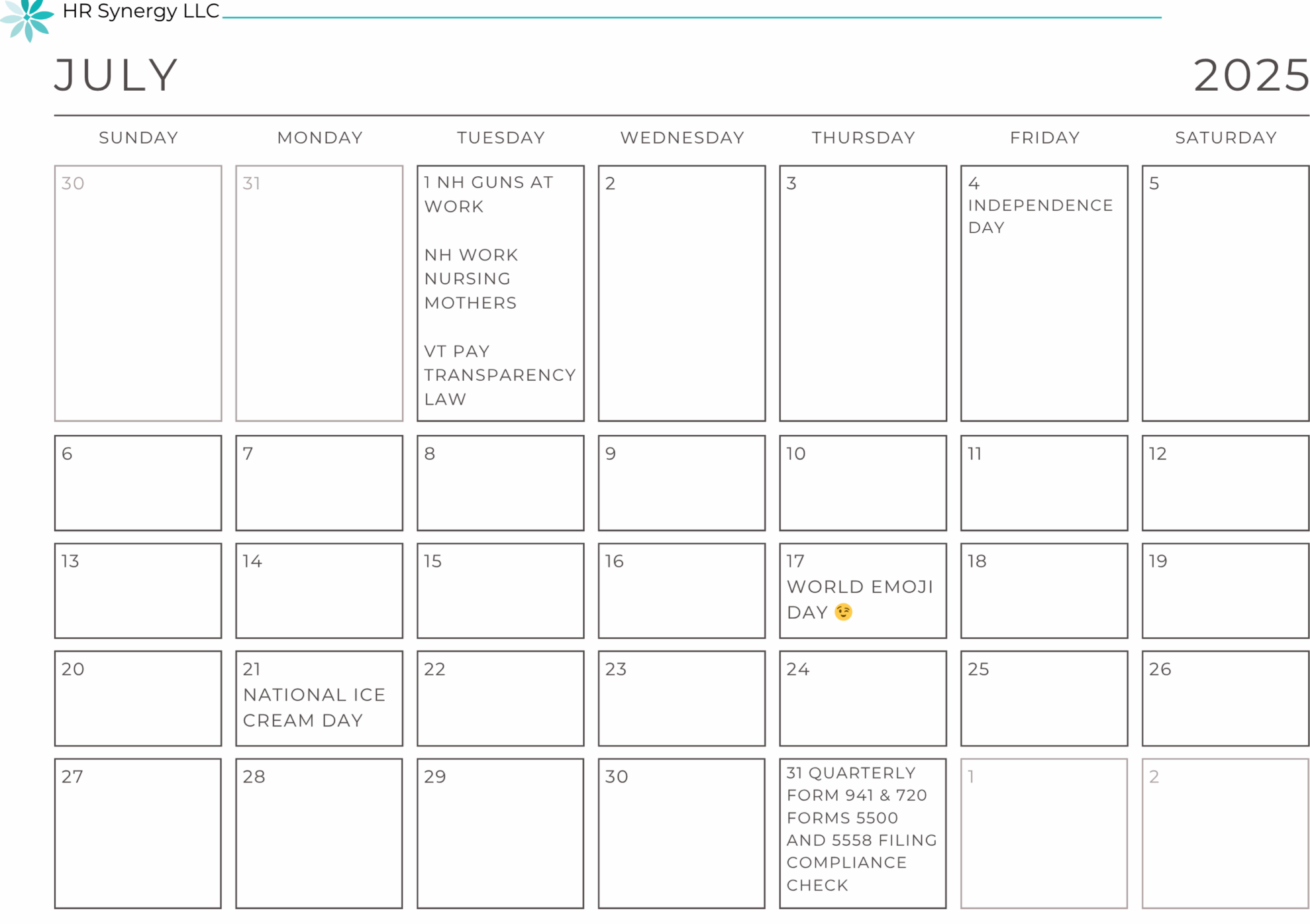
July 1 NH Guns at work effective
July 1 NH Workplace Accommodations for Nursing Mothers
July 1 VT Pay Transparency Law
July 4 Independence Day
July 17 World Emoji Day
July 21 National Ice Cream Day
July 31  Quarterly Form 941 & 720 due
July 31 Forms 5500 and 5558 Filing Deadline (for calendar year plans)
July 31 Compliance Check (this is time to review benefits, notices, or issued as required)